

We respect your personal privacy
This website uses first and third party cookies to personalise your experience, analyse web traffic data, and optimise performance. We never sell your data to third parties. Privacy Policy.


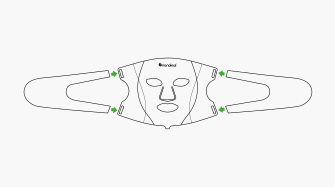
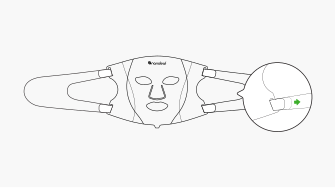
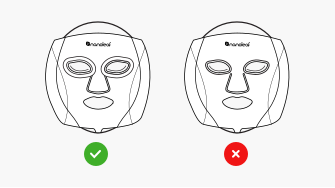
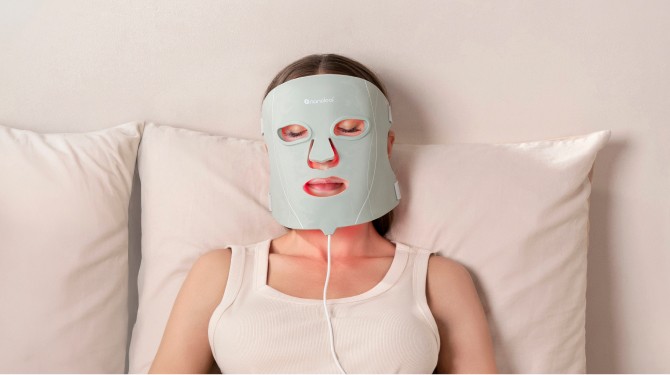
Insert straps and tighten with velcro.
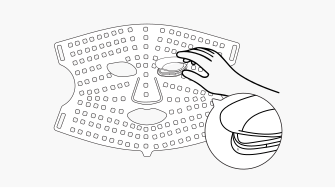
Gently insert the eye sockets from inside the mask.
This step is important to protect your eyes during treatment, ensuring safety and comfort while using the mask.
Press and hold the power button  for 2 seconds until you hear an audible sound.
After turning on the mask, the timer will automatically start counting down from the default setting of 10 minutes. Single press the power button once to pause the timer.
To select your preferred treatment mode (colour), press the arrow button  . The colours cycle in the following order: Red > Green > Blue > Cyan > Yellow > Purple > White.
Double press the arrow button to cycle through the intensity levels which range from 1 (lowest) to 5 (highest).
The default timer is set to 10 minutes. You can increase the time by pressing the timer button  , with each press adding an additional minute. The timer can be set between a minimum of 1 minute and a maximum of 30 minutes. To select a time from 1 to 9 minutes, simply cycle past 30 minutes, and the timer will reset to 1 minute.
The face mask will automatically turn off once the session is complete.
We think there might be a better match for your location and language :) You can set these below for local prices and the fastest delivery. Wir glauben, dass es für Ihren Standort und Ihre Sprache eine bessere Übereinstimmung geben könnte :) Diese können diese unten einstellen, um lokale Preise und die schnellste Lieferung zu erhalten. Nous pensons qu’il pourrait y avoir de meilleurs résultats correspondant à votre emplacement et à votre langue :) Vous pouvez les préciser ci-dessous pour avoir une idée sur les prix locaux et les meilleurs délais de livraison. Potrebbe esserci una corrispondenza migliore per la località e la lingua da te scelta :) Impostale qui sotto per i prezzi a livello locale e una consegna più rapida. お客様の地域や言語によりピッタリのウェブページをお選びください :)以下から、現地の価格や最短の配信をご設定いただけます。 귀하의 위치와 언어에 더 적합한 매치가 있으리라 생각합니다. 지역 금액 및 가장 빠른 배송을 위해 귀하는 위치와 언어를 아래에서 설정할 수 있습니다. 使用自己的位置和語言肯定更順手吧:)您可以在下方設定這些選項,並取得當地價格與最快的交付。